 TodoTicked for Slack
Turn Slack conversations into tracked work.
Capture action items with /todoticked, turn messages into tasks, and finish the work without switching tabs.
Capture in context
Keep action items beside the conversation that created them.
Stay in flow
Create and complete tasks without opening another tab.
Keep teams aligned
Make progress visible with shared task updates in Slack.
A shorter path from talk to task
Keep the handoff invisible.
TodoTicked connects the moment a request is made with the moment it gets done, so important work does not disappear into a busy channel.
01
Install once
Click Add to Slack and approve the requested permissions. A workspace admin can install TodoTicked for the team.
02
Link your account
Run /todoticked connect, open the one-time link, and confirm while signed in. Each person links their own TodoTicked account.
03
Keep moving
Create tasks, turn messages into work, review today, and complete items without leaving the conversation.
Work where work starts
Every Slack thread can have a next step.
Whether it is a customer request, a meeting follow-up, or a promise made in passing, turn the useful part of the conversation into work you can actually track.
Read the Slack launch storyCAPTURE
Turn messages into tasks
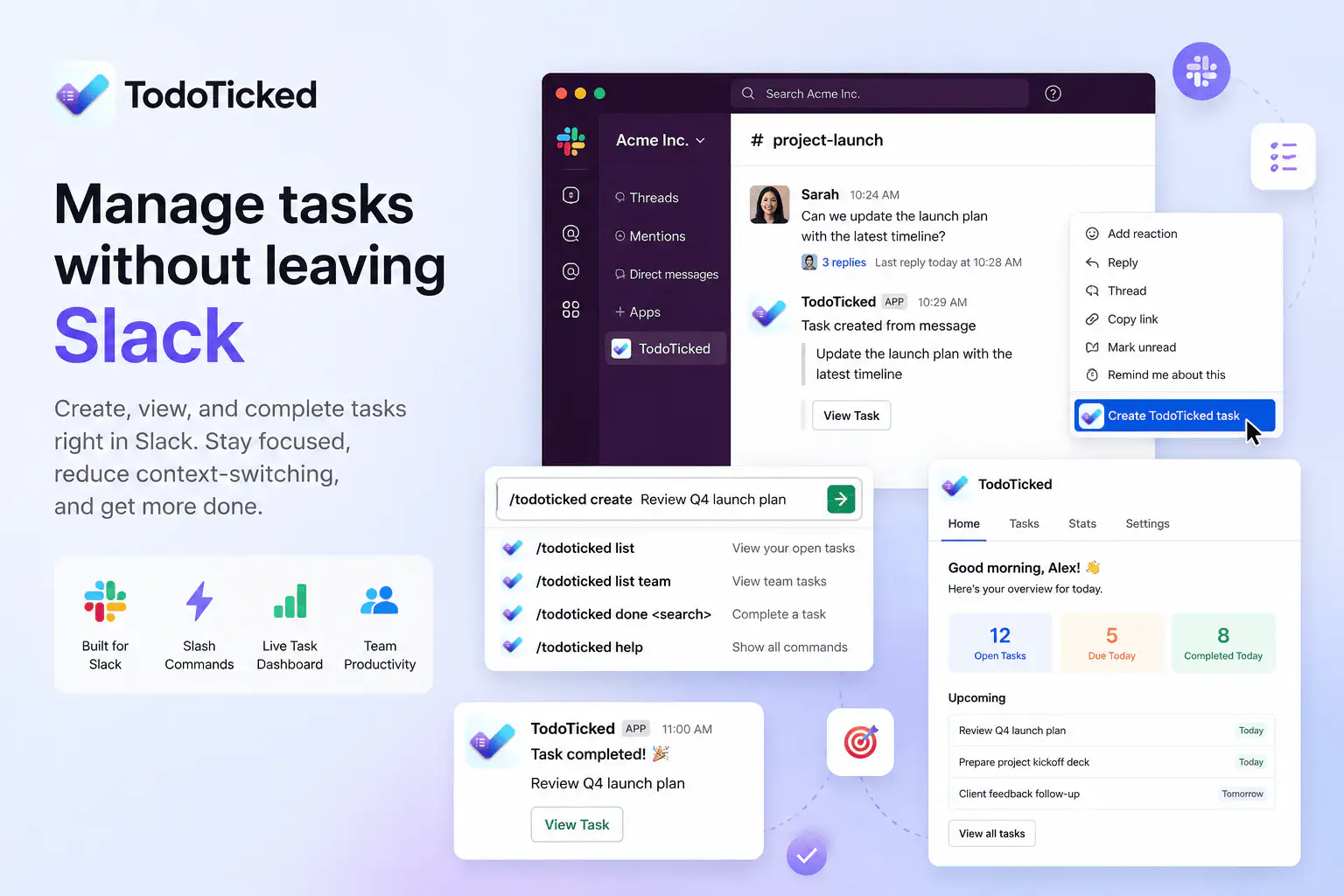
When a Slack message becomes an action item, use the message shortcut to create a TodoTicked task while the context is still fresh.
COMMAND
Use slash commands
Create, list, and complete tasks with /todoticked. See more work when you need it with list limits up to 50 items.
CONTEXT
See work in App Home
Open TodoTicked Home in Slack to review today’s tasks, upcoming work, open-task totals, and a quick-add action.
FINISH
Complete work in place
Interactive buttons let you mark tasks done from Slack notifications and App Home, keeping progress visible to the team.
Your task list, one command away.
The command menu keeps the common actions close at hand. Use a quick title when you are in a hurry, or bring a longer list into view when the workday gets full.
/todoticked- Open the task creation form
/todoticked create <title>- Quick-create a task
/todoticked list [limit]- View open tasks; 10 by default, up to 50
/todoticked list team [limit]- View team tasks; 10 by default, up to 50
/todoticked done <search>- Complete a task by title
/todoticked connect- Link your TodoTicked account
/todoticked disconnect- Unlink your account
/todoticked help- Show available commands
Clear permissions. Useful work.
Slack shows these scopes during install. TodoTicked requests only what it needs to respond to actions, update tasks, and link the right account.
- commands
- Runs /todoticked and the Create TodoTicked Task shortcut so you can create, list, and complete work from Slack.
- chat:write
- Sends confirmations, interactive task cards, and App Home updates after you take an action.
- im:write
- Sends a one-time direct message with confirmation and next steps after account linking.
- app_mentions:read
- Receives messages that mention @TodoTicked in conversations where the app is present.
- users:read
- Reads the Slack user ID and display name needed to attribute tasks to the right person.
Questions, answered
Before you add TodoTicked to Slack.
Yes. After TodoTicked is installed in Slack, run /todoticked connect and confirm while signed in to TodoTicked. You can create an account at app.todoticked.com if you do not have one yet.
The Slack integration is available on Pro and Team plans. You can install the app first, then upgrade in TodoTicked if your current plan does not include Slack.
TodoTicked does not read channel history. It receives slash commands, shortcuts, button clicks, App Home opens, and messages that mention @TodoTicked in conversations where the app is present.
Yes. Open the shortcuts menu on a Slack message and choose the TodoTicked action. The message becomes a task while preserving the conversation context.
A workspace admin can remove TodoTicked from Slack app settings. You can also run /todoticked disconnect to unlink only your TodoTicked account.
Keep the conversation moving
Put the next step where the conversation lives.
Install TodoTicked, link your account, and turn the next useful message into work you can finish.
Need help? support@todoticked.com